Stack the States®
Dan Russell-PinsonEducation
4.7649.00 Reviews
- Version
- 3.2
- Installs
- 100.00K
- Age Rating
- Everyone
Screenshots
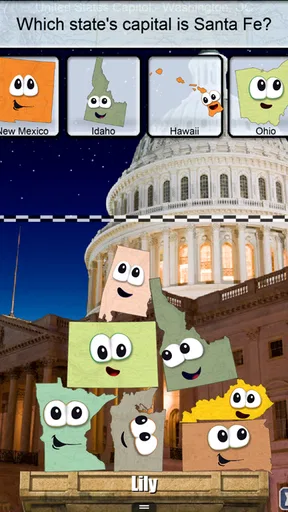
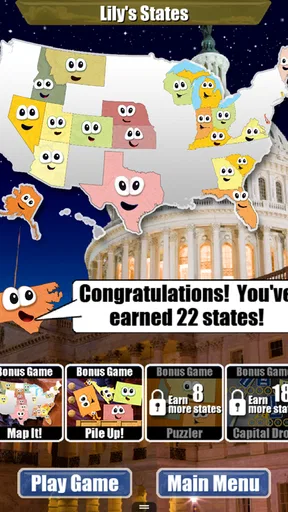
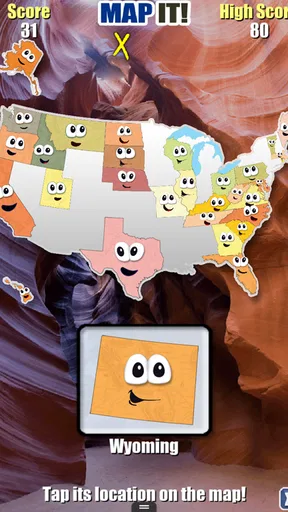
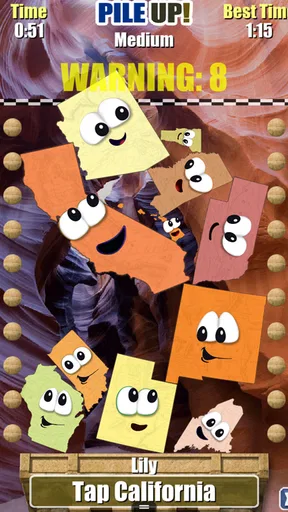
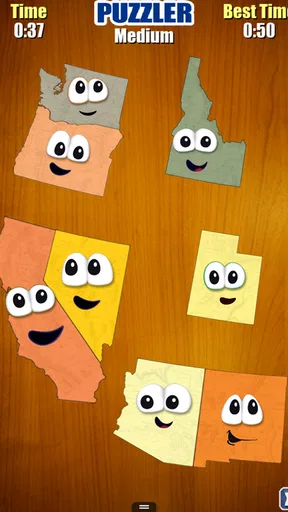
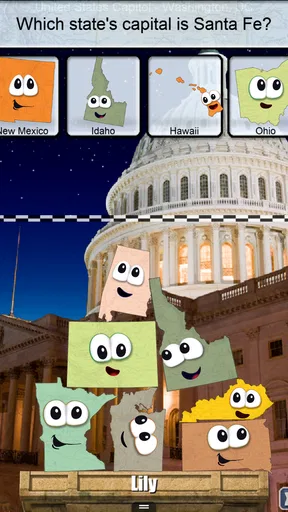
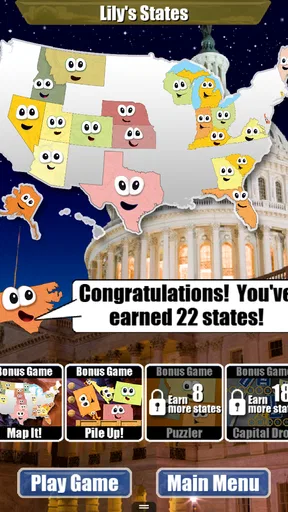
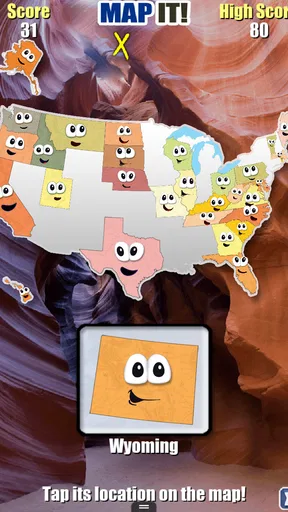
Our Review of Stack the States®
 Analysis by Appyee
I like geography apps best when they give me a reason to recall facts instead of simply reading them. Stack the States® builds that reason into a small, satisfying challenge: answer questions, earn state-shaped pieces, and try to stack them without losing your balance. It suits a short learning session as much as a casual game, though its focus on U.S. geography is also its clearest boundary. If you want to learn about the 50 states through active play, it has a distinct appeal; if you need a broad geography course, you’ll want something else alongside it.
A simple routine that turns answers into practice
The most useful way to approach a round is to treat the questions and the stacking as two parts of the same exercise. I would answer at a comfortable pace, then place each state with care rather than rushing to build height. A correct response gets you another piece, but the physical arrangement still matters, so knowing the answer does not automatically guarantee a successful stack. That small tension keeps the activity from feeling like a plain quiz.
For a younger learner, I’d keep the first sessions short and make the state facts the focus. After a question, pause long enough to connect the answer with the state’s shape or location on the map. For someone who already knows the basics, the stacking challenge gives familiar facts a new purpose: each answer contributes to a structure that can wobble or fall. This is a useful distinction from flash cards, which are better for direct repetition but don’t add a physical puzzle to recall.
A practical home routine could be a quick round after school, followed by a conversation about one state that was unfamiliar. A parent can ask the child to point it out on the map or describe what clue helped them choose an answer. The app does not need to carry the whole lesson; it can be the prompt that makes a few minutes of practice feel like play. I would also let children take turns answering or placing pieces if several people are watching, while keeping expectations modest: the game’s central subject remains the United States, not world geography.
What to check before handing it to a learner
The interface is designed to be approachable, but I would still spend a moment with a new player before leaving them to it. Show how to select an answer and how to drag a state onto the platform, then let them try both actions themselves. That quick handoff can prevent a child from mistaking a missed touch or awkward placement for a geography mistake. The game’s visual approach helps, but a brief demonstration is often more useful than explaining every rule at once.
It is also worth matching the session to the learner’s goal. If they are meeting state names and shapes for the first time, keep attention on identifying them rather than treating a tall stack as the only measure of success. If they already have some familiarity, invite them to explain why an answer fits. The multiple-choice format makes it easier to get started, but choosing from options is not the same as recalling a fact without a prompt. A parent or teacher can add that extra step by asking for the answer in the learner’s own words.
Stack the States is an education app from Dan Russell-Pinson, and it costs $2.99. Its age rating is Everyone, which makes it suitable for a broad audience, although younger children may still benefit from an adult nearby when they first learn the controls. It has a 4.7 average from around 2.2 thousand ratings, and it has passed 100 thousand installs. Those figures suggest that many people have found a reason to try it, but they don’t tell you whether its particular mix of trivia and balancing will suit your household.
How to get more from repeat play
I would use repeat sessions to notice which kinds of questions feel easy and which ones keep causing hesitation. That is more actionable than simply replaying until a round goes well: a learner who recognizes shapes but mixes up capitals needs a different kind of review from someone who knows the names but struggles to locate states. The game’s variety gives families a natural chance to spot those gaps, even without turning each session into a formal test.
One useful habit is to make a small mental link between the answer and a visual feature. A distinctive outline, a location on the map, or a memorable landmark can serve as a cue when the same state comes up later. I would avoid trying to memorize every fact in one sitting. Instead, let a few uncertain answers guide the next conversation, then return to the game another time. This makes the app a repeatable practice tool rather than a one-and-done novelty.
For classroom use, I see it as a short group activity or a change of pace, not a replacement for a lesson. A teacher could let students take turns responding and placing states, then use any disputed answer to start a map discussion. The trade-off is that turn-taking can leave some children waiting, so it works best as a brief shared activity or as one choice among several stations. At home, a child can play independently once comfortable with the controls, while an adult can join when the learning goal needs more discussion.
Where its scope and challenge may not fit
The app’s focused subject is a strength when the goal is U.S. state knowledge, but it also means it cannot serve as a general geography reference for every learner. Someone studying countries, oceans, or world regions should choose a broader resource instead of expecting this one to cover those topics. Even within U.S. geography, the experience is built around questions and stacking rather than a full course with a teacher’s explanations. I’d pair it with a paper map or class materials when a learner needs a wider picture or more structured instruction.
The game can also be less suitable for someone who wants uninterrupted fact study. The balancing task adds fun and a reason to pay attention, but it can compete with the learning goal if a player becomes focused only on keeping the stack upright. In that case, slow down and talk through the question before placing the state. A learner who dislikes touch-based placement or gets frustrated when a structure falls may prefer a straightforward quiz or reference app. That is not a flaw for every player; it is a real preference to consider before buying.
The app was released on September 5, 2013, and its current version is 3.2, with a minimum operating-system requirement of 5.1. It is a paid download rather than a free trial, so I would check device compatibility and think about whether the U.S.-only subject is relevant before purchasing. The best fit is a family, learner, or teacher looking for a playful supplement to state facts—not someone expecting a comprehensive curriculum or a broad atlas.
My verdict on making it a learning habit
What I appreciate most is the way it asks a learner to do something with a correct answer. That turns state trivia into a little sequence of decisions: recognize the clue, earn the piece, and place it thoughtfully. To make that sequence work well, I’d alternate between letting the player enjoy the challenge and pausing to explain a fact when an answer is uncertain. The balance matters: too much coaching can make play feel like a test, while no conversation at all may leave a useful learning moment unexplored.
Compared with a map or an ordinary quiz, this is the more playful choice, not necessarily the more complete one. A map is better when the goal is to see spatial relationships at a glance; a simple quiz is better for quick recall without a balancing distraction. This app sits between those options, adding a physical puzzle to state questions. I’d recommend it to someone who wants an approachable way to revisit U.S. state knowledge and enjoys a bit of challenge, while steering a world-geography learner or a player who wants only a plain reference toward another tool.
For a modest one-time purchase, it offers a specific kind of value: short, interactive practice that can be shared or played alone. I would not expect it to replace teaching, maps, or broader study, but it can make state facts easier to return to because each round gives them a playful context. If that is what you are looking for, the combination is memorable without asking you to turn every session into a lesson.
Getting Started with Stack the States®
First things first, you can find Stack the States® on both Android and iOS platforms, which is great for accessibility. The setup is a breeze. After downloading, you can jump right into the action without any lengthy tutorials bogging you down. The app is designed to be intuitive, which means even younger users can navigate it with ease.
The main screen presents a colorful and inviting map of the United States. It’s a visual treat, immediately pulling you into the game. The objective is simple: answer questions correctly to earn states, then strategically stack them to reach a certain height. Sounds easy, right? Well, it’s surprisingly challenging!
Gameplay and Features
What I love about the app is its blend of education and entertainment. You’re not just memorizing state capitals or recognizing state shapes; you’re actively engaging with the content. The questions range from capitals and state shapes to nicknames and landmarks, offering a comprehensive learning experience.
Each correct answer earns you a state, which you then drag and drop onto a platform. The goal is to stack the states without them toppling over. It’s a clever combination of trivia and physics, keeping you on your toes. The game rewards precision and knowledge, making it a hit for both kids and adults.
Now, let’s talk about the visuals. The graphics are bright and cheerful, with each state popping out in vibrant colors. It’s not just visually appealing; it’s also educational. You can tap on any state to learn more about it, making the app a mini encyclopedia of U.S. geography.
Educational Value
One of the standout features of Stack the States® is its educational value. It’s perfect for kids who are just starting to learn about U.S. geography, but it also offers challenges for older users who want to test their knowledge. The app includes multiple-choice questions that cover a wide range of topics, ensuring a well-rounded learning experience.
Parents will appreciate the educational aspect, knowing their kids are gaining valuable knowledge while having fun. Teachers can also use the app as a supplementary tool in classrooms, making learning interactive and engaging. The app’s ability to adapt to different skill levels means it can grow with the user, offering new challenges as they get more proficient.
Final Thoughts
In the end, Stack the States® is more than just an app; it’s a fantastic educational tool wrapped in a fun package. Whether you’re a parent looking to enrich your child’s learning journey or an adult wanting to brush up on your geography skills, this app has something for everyone.
The combination of trivia, strategy, and engaging visuals makes it a standout in the realm of educational apps. It’s a refreshing departure from traditional learning methods, proving that education can indeed be fun. So, if you’re ready to stack, learn, and have a blast, give Stack the States® a try. You won’t be disappointed!
And hey, don’t forget to check it out on your app store of choice. Happy stacking!
Verdict
Strengths of Stack the States®
- Engaging educational content for kids.
- Interactive quizzes enhance learning.
- Colorful graphics capture attention.
- Customizable user profiles available.
- Progress tracking for motivation.
Limitations of Stack the States®
- Limited state-specific details.
- Repetitive gameplay can bore older kids.
- In-app purchases might be tempting.
- Requires internet for some features.
- No multiplayer mode available.
Other Releases by Dan Russell-Pinson
View All
Stack the States® 2
Educational4.6

Stack the Countries®
Education4.5
Similar Picks in This Category
View All
Duolingo: Language Lessons
Duolingo4.7

Google Classroom
Google LLC2.8

Unacademy: Learn & Crack Exams
Unacademy3.2

Bible App for Kids
Life.Church4.4

Cake - Learn English & Korean
Cake Corp.4.7

Brainly: AI Homework Helper
Brainly4.5
Frequently Asked Questions
What is Stack the States® and how does it work?
Stack the States® is an educational app designed to make learning U.S. geography fun and engaging. Users answer questions about state capitals, shapes, and locations. Correct answers allow players to earn states, which they then stack to reach a goal line and advance to higher levels. It combines learning with interactive gameplay.
Is Stack the States® suitable for all ages?
Stack the States® is primarily designed for children aged 9 and older, but it’s entertaining and educational for anyone interested in U.S. geography. The app’s colorful graphics and interactive challenges provide a fun learning experience, making it suitable for both kids and adults who want to brush up on their state knowledge.
What educational benefits does Stack the States® offer?
Stack the States® offers several educational benefits, including improving geographical knowledge of U.S. states, capitals, and landmarks. It also helps develop memory and problem-solving skills as players strategize how to stack the states effectively. The app's interactive nature makes learning active and engaging, fostering better information retention.
Are there any in-app purchases or ads in Stack the States®?
Stack the States® is a paid app, which means it does not have in-app purchases or ads. This ensures a seamless experience without interruptions, making it ideal for young learners. The one-time purchase provides full access to all features, ensuring users can enjoy the app without additional costs.
Can Stack the States® be used offline?
Yes, Stack the States® can be used offline. Once downloaded, all its features and levels are accessible without an internet connection. This makes it a perfect travel companion for long car rides or flights, allowing users to learn and play anytime, anywhere without the need for Wi-Fi or data.
